TOOLS FOR YOUR MAC

A few good tools.
For everyday questions.

See what’s running. Understand your connection.
Find a clearer view of the task at hand.

Find your next tool

04 apps / macOS
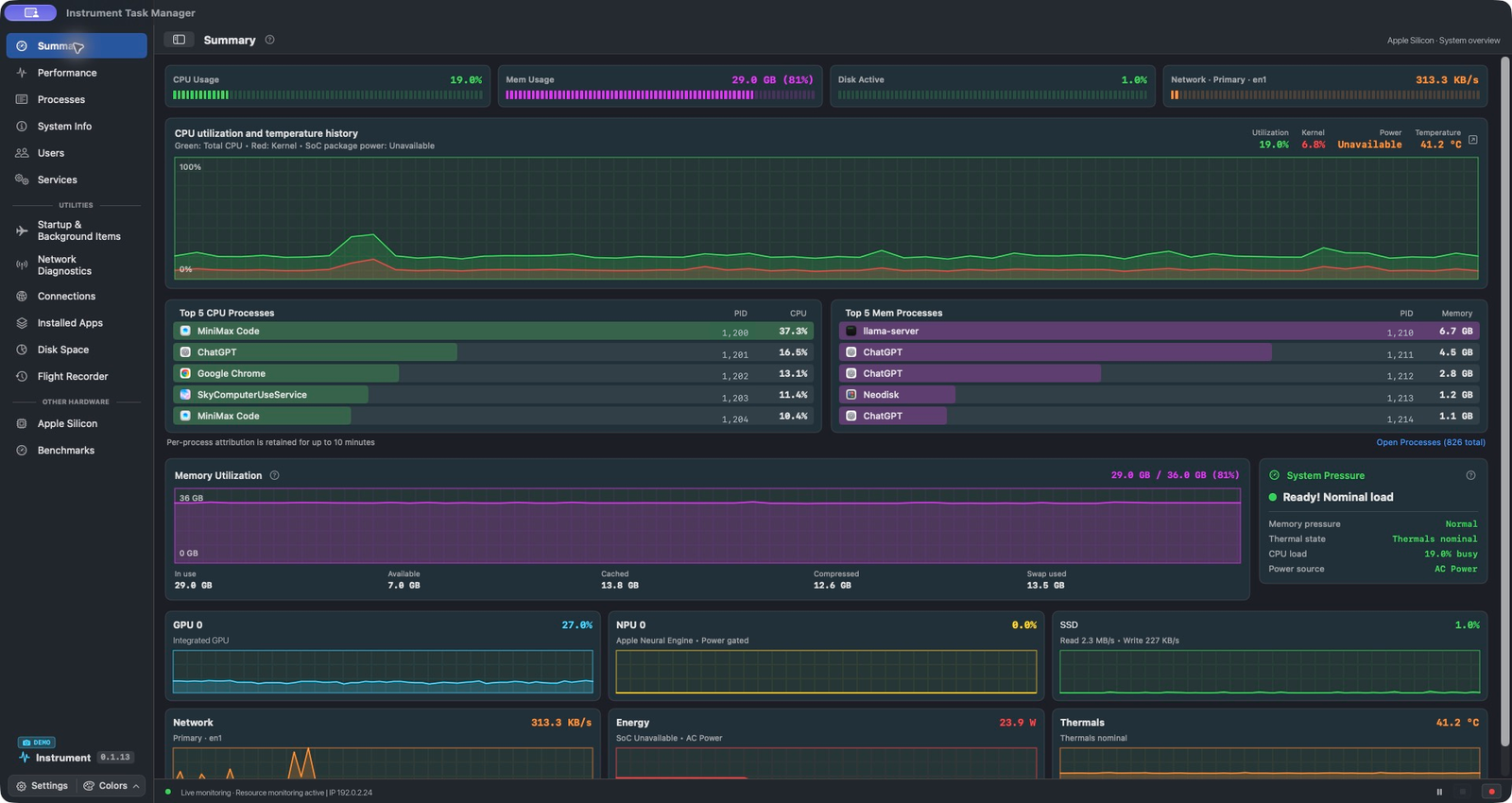
Instrument Task Manager Summary with resource usage, CPU history, top processes, memory utilization, and system pressure. Identifying details anonymized.
App screenshot · Anonymized dataView app

Instrument Task Manager

For macOS · In development

Manage processes, monitor performance, and find what’s filling your Mac’s drive.

Explore the app
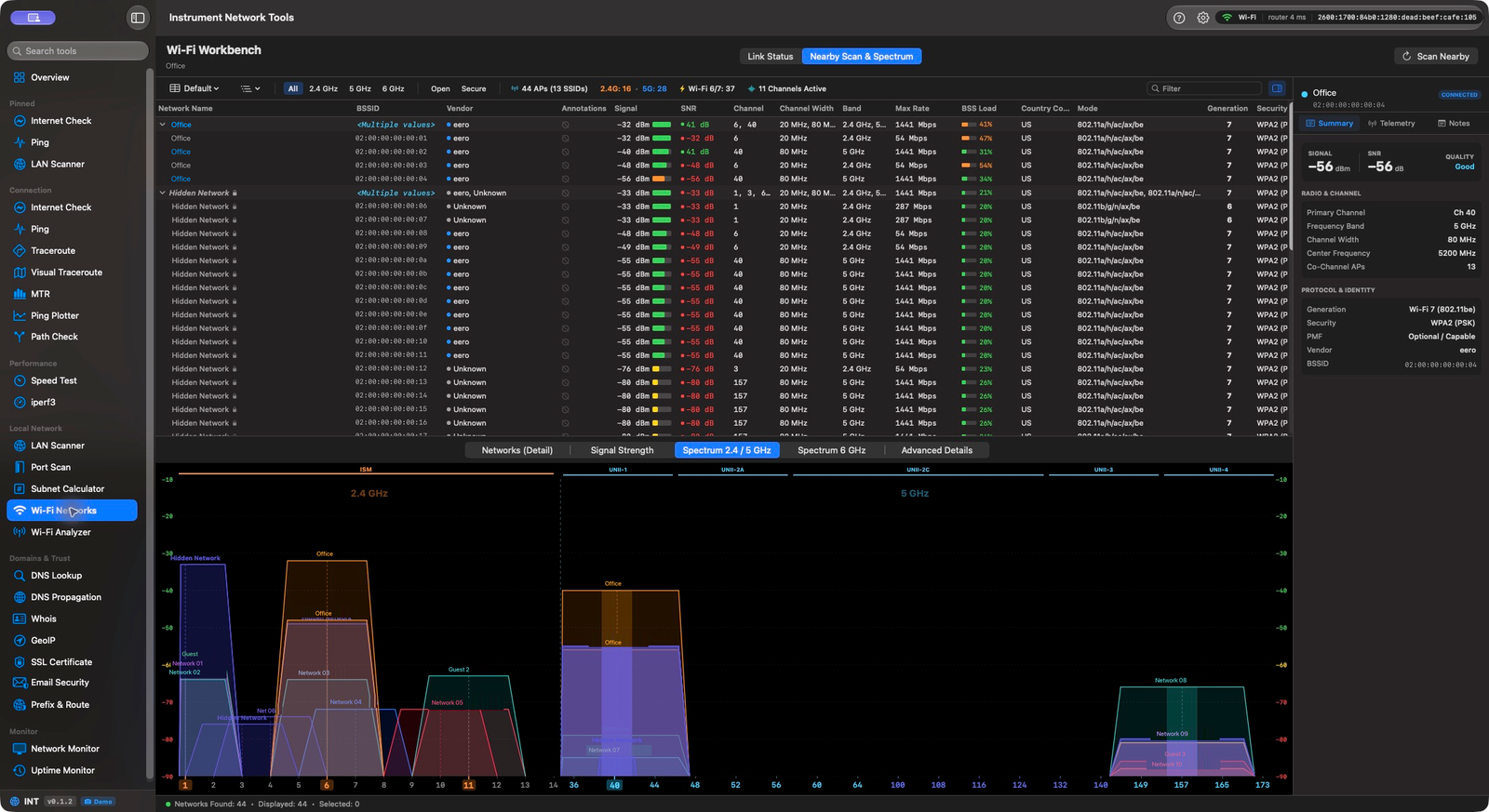
Instrument Network Tools Wi-Fi workbench showing nearby access points, channel spectrum and overlap, signal measurements, and a network inspector. Network names and hardware addresses anonymized.
Wi-Fi workbench · Anonymized app screenshotView app

Instrument Network Tools

macOS 14+ · In development

Analyze Wi-Fi, follow latency and packet loss, and discover devices and services.

Explore the app
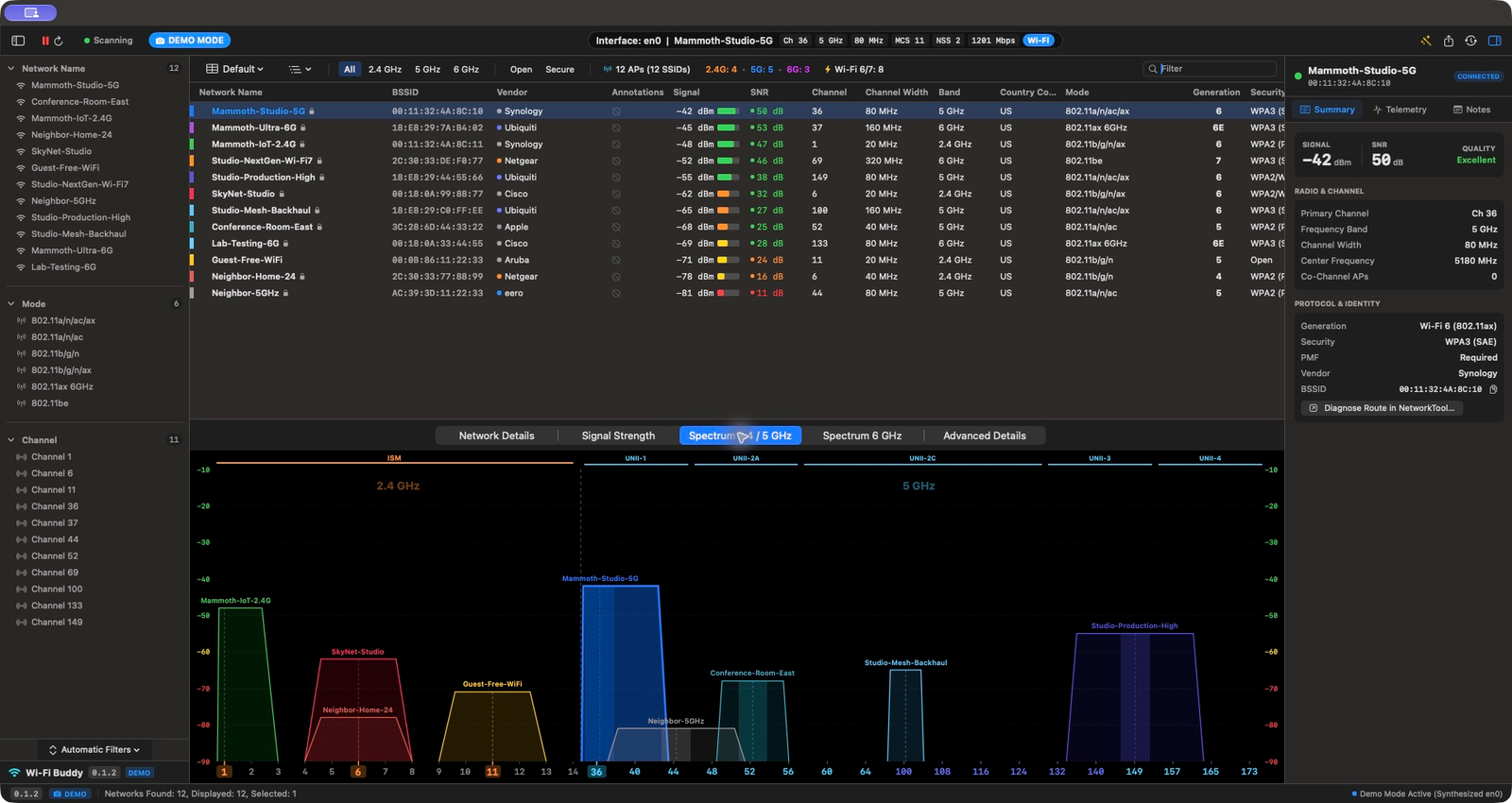
Wi-Fi Buddy in demo mode with twelve sample access points across the 2.4, 5, and 6 GHz bands, 2.4 and 5 GHz spectrum charts, and a selected sample network inspector.
Spectrum · Demo mode · Sample dataView app

Wi-Fi Buddy

macOS 14+ · Coming soon

See nearby Wi-Fi networks, compare channels and signal strength, and inspect access points.

Explore the app
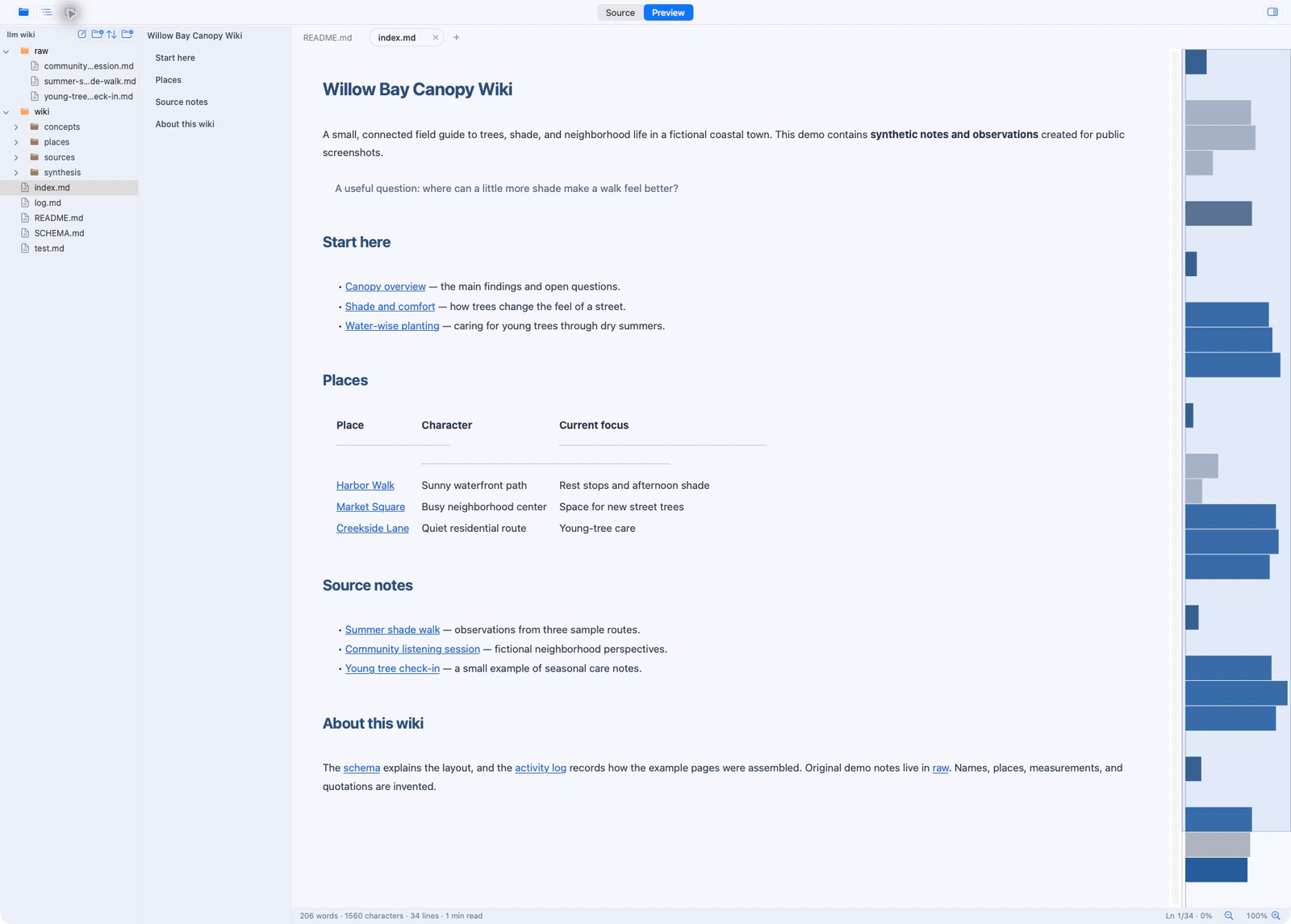
Mammoth Markdown showing a fictional wiki in preview, with a folder tree, contents outline and minimap.
Reading view · Fictional sample wikiView app

Mammoth Markdown

macOS 13+ · 3.9 MB download

A simple Markdown reader for notes and docs. Just a 3.9 MB download.

Explore the app

Screenshots show the current apps with identifying details anonymized where needed. Wi-Fi Buddy downloads are coming soon.